Skip to content

More accessible
systems for everyone.

Read with ease. Find your own way around a page. Take part in digital life. Let’s make it possible for everyone.

A younger and an older woman using a tablet together at a sunlit table.
Connect with moreof life.

A good digital experience makes room for everyone.

WCAG 2.2Explore the principles of accessible design

Our references and partners

Sabancı Holding, SabancıDx, eDoksis
Systems built for everyone —
so why can't everyone use them?

That's the question we start with. Each of the four solutions below was built to answer it first.

Verified in every release: Keyboard navigation, Screen reader, Color contrast, Focus indicator.

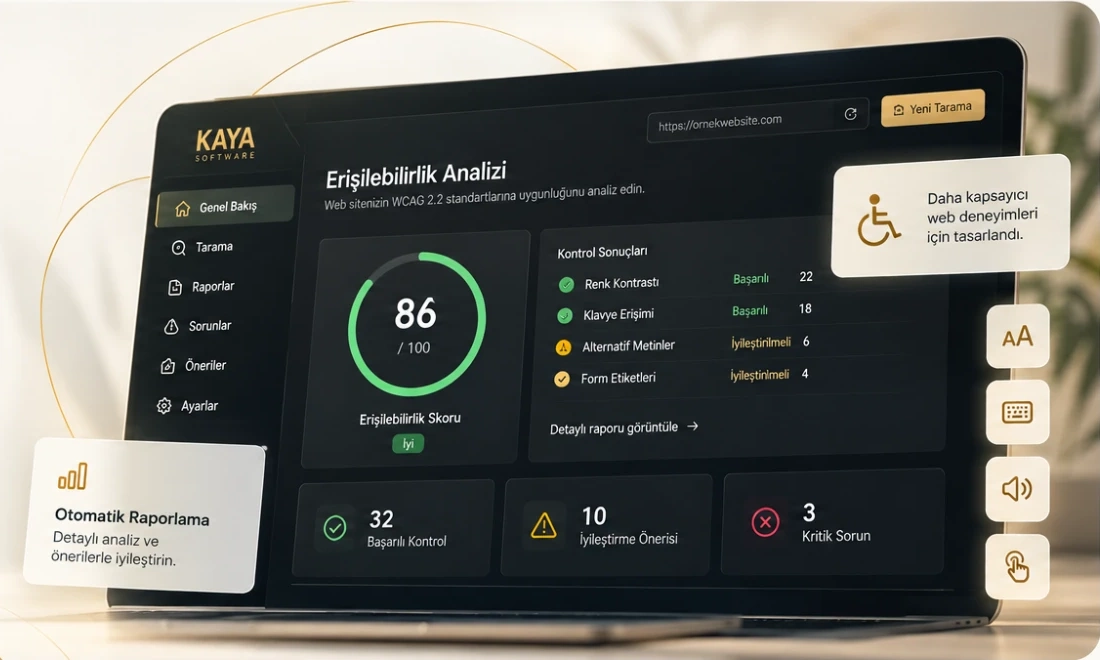
Accessibility Audit Bot

Accessibility work that audits web products against WCAG AA criteria, identifies usage barriers, and fixes them.

  • WCAG AA Audit
  • Screen Reader Support
  • Keyboard Navigation
  • Remediation & Verification Report
Request early access
How accessible is your system?The answer is coming soon — closer than you think.
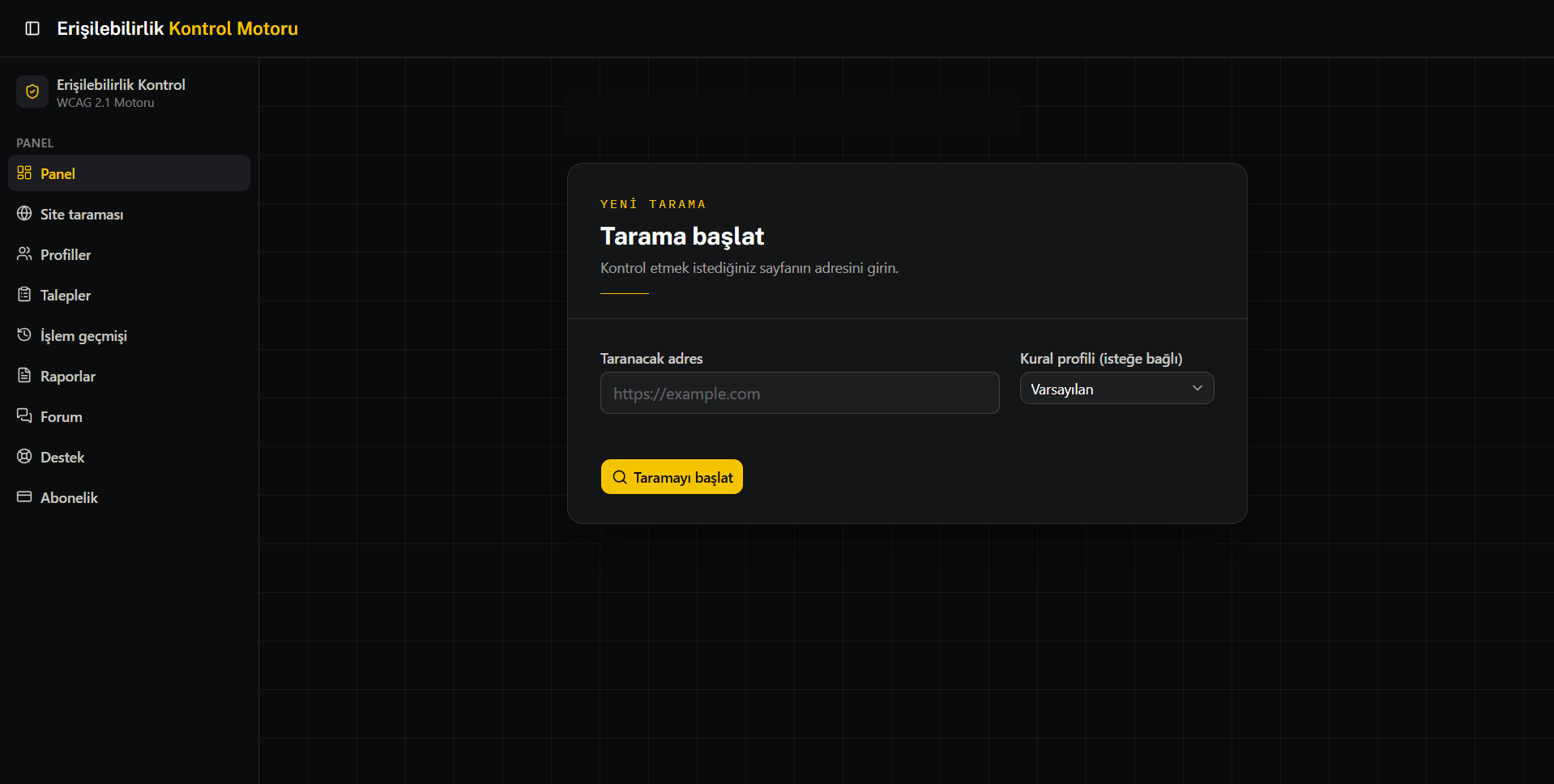
Start scan
Accessibility Audit Bot's scan start screen — URL input field, rule profile selector, and "Start scan" button.
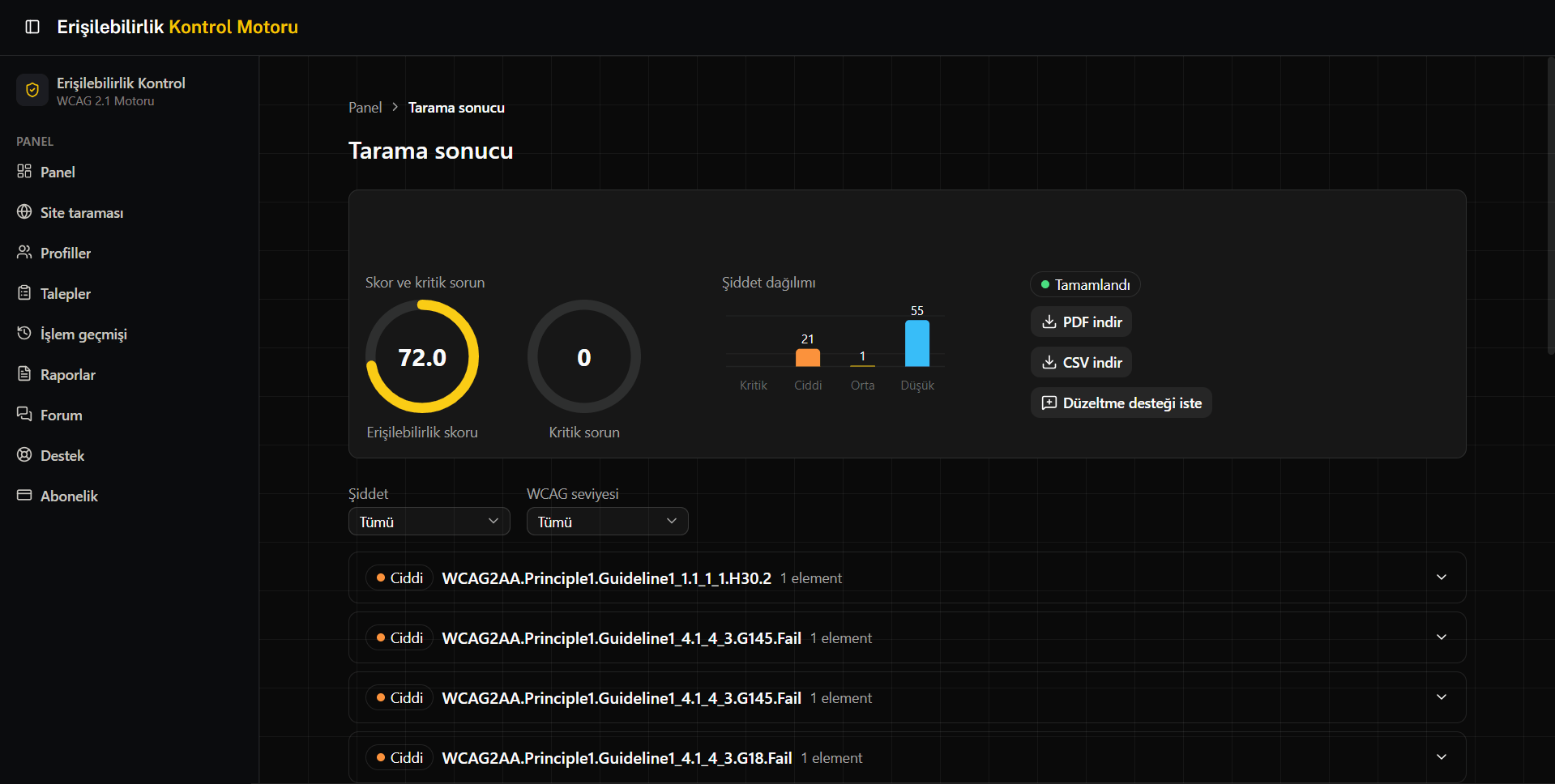
Scan result
Scan result screen — an accessibility score of 72.0, a severity breakdown chart, and a list of WCAG rule violations.

Accessibility,
comes last in most systems.
We start with it.

That's why we build accessibility first; our ERP, CRM, and automation solutions rise on that foundation. Explore the scope, features, and use cases of each one below.

Our products & services
Usable for everyone.

Accessibility is the first decision that shapes how every system after it will be designed.

Accessibility

Who it's for: public-sector, e-commerce and enterprise web teams with a legal WCAG obligation, or losing users to inaccessibility.

We bring your systems up to the WCAG standard — treating it not as a pre-launch checkbox, but as the first criterion in every research, design, content, and development decision. A dedicated accessibility test team checks every release with a real screen reader and keyboard navigation; only releases that pass go live.

  • WCAG AA Audit
  • Screen Reader Support
  • Keyboard Navigation
  • Remediation & Verification Report
Accessibility details

ERP

Who it's for: SMEs and enterprise teams slowed by Excel and disconnected tools, moving from one branch to many.

Bring production, inventory, and financial data together in one accessible decision center; with e-invoice integration and role-based access, every team sees only the data relevant to their job, and revenue/expenses are tracked live without waiting for a separate report.

  • Inventory & Invoice Automation
  • Role-Based Access Control
  • Real-Time Revenue/Expense Dashboard
  • e-Invoice Integration
ERP details

CRM

Who it's for: sales teams whose quotes and customer history are scattered, who can't see where the funnel leaks.

Turn your sales, quote, and support history into a shared customer memory the whole team can understand and use; quotes are notified instantly over WhatsApp, and where your sales pipeline is stalling becomes visible in the analytics panel.

  • WhatsApp Quote Notifications
  • Sales Pipeline Analytics
  • Customer Archive System
  • One-Click Quote Generator
CRM details

Automation

Who it's for: operations teams repeating the same report, invoice and data entry by hand every day.

Turn repetitive work into traceable flows while keeping error, notification, and intervention points visible; reports are generated automatically, invoice processing completes via payment integration without human intervention, and the team is notified instantly if something goes wrong.

  • Automated Excel & PDF Reporting
  • 24/7 Data Bots
  • PayTR Invoice Integration
  • WhatsApp Alert System
Automation details

Not what we say —
the system we built.

KayaSoft ERP brings production, inventory, and invoicing processes into one panel actively used by real businesses today. The system is live in service, and our team keeps developing it alongside real needs from the field. Click a screen to see it in full.

Explore the ERP solution

Wondering what KayaSoft ERP looks like? Here are a few screens showing how it works.

No. The transition is planned in phases; the new system runs in parallel while the team is onboarded gradually. Critical processes — invoicing, inventory, customer records — continue without interruption at every step. The go-live date is planned around your business calendar, with full acceptance testing beforehand.